


Setup Requirements
To enable the integration, Transport Pro needs:
- Your API Key
- Partner ID
Your Trucker Tools representative provides these values. Send them to support@transportpro.net to have the integration turned on.
Order Tracking From Transport Pro
Once the integration is enabled, the Trucker Tools logo appears on the Track & Trace screen. Open Track & Trace from either the Planned Loads or Dispatched Loads section on the Freight Operations Dashboard.
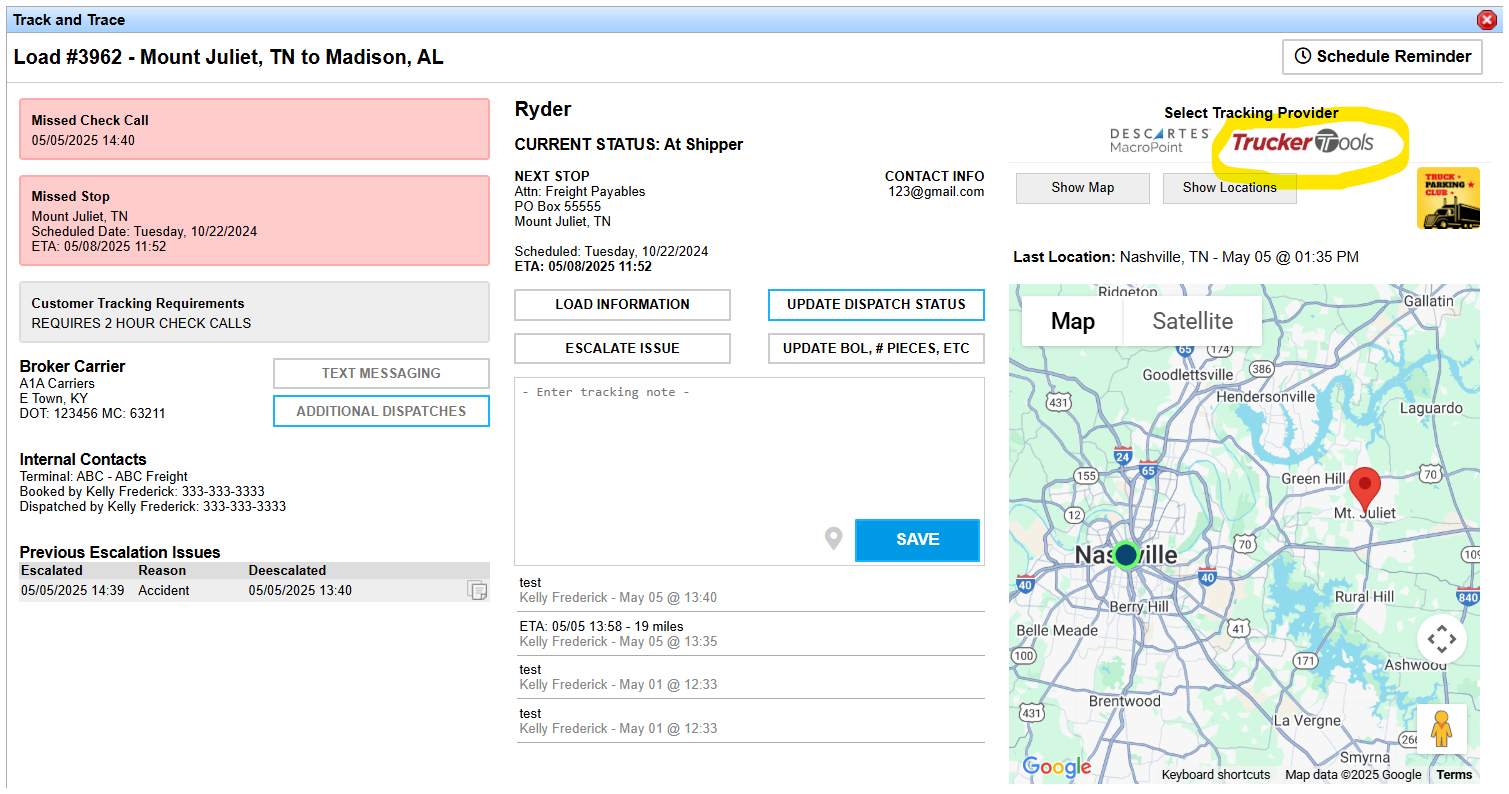
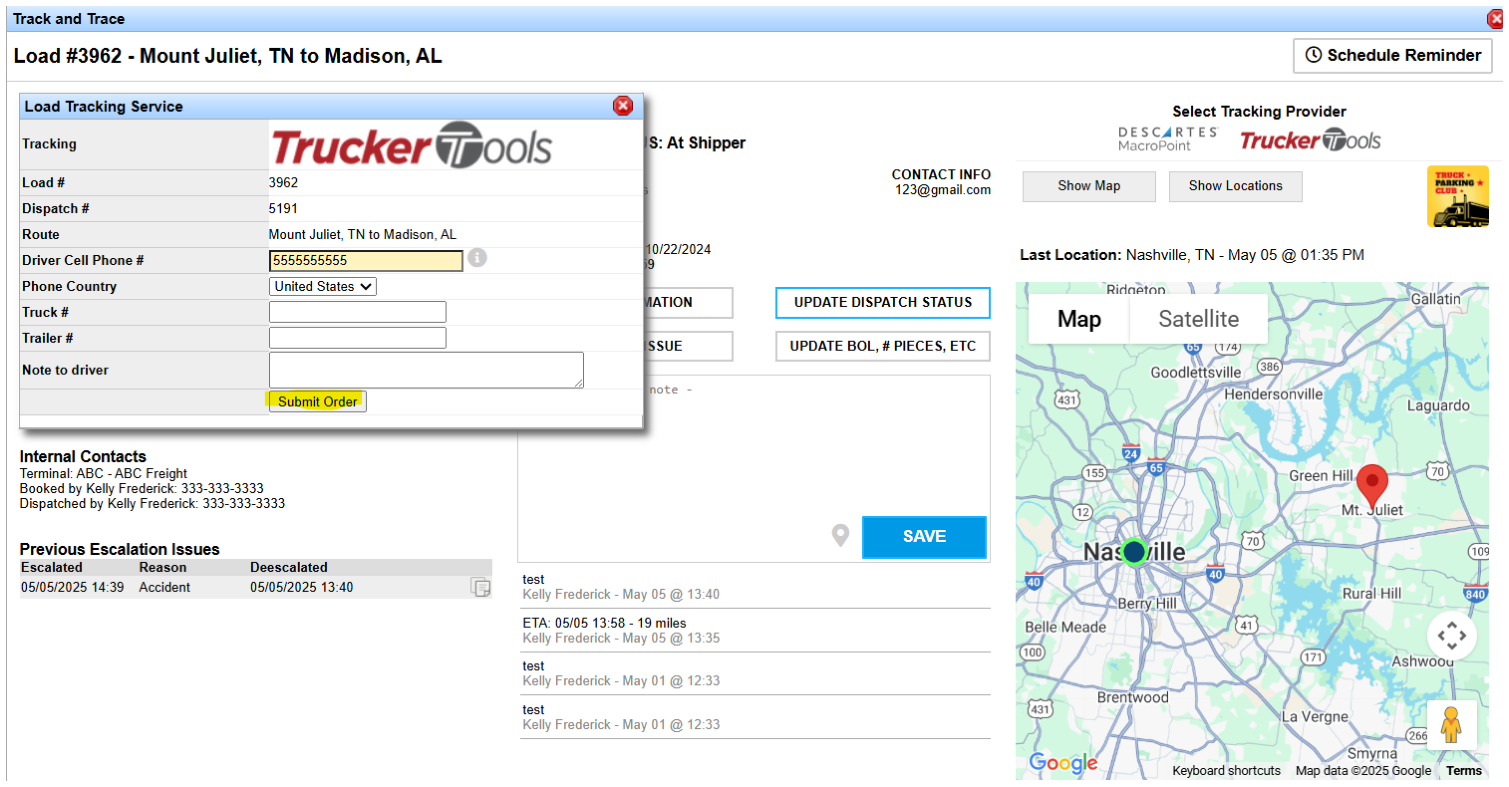
Click the Trucker Tools logo to open the Load Tracking Service window. Enter the required information (such as the driver cell phone number), then click Submit Order. As soon as you submit, the order is sent to Trucker Tools.
See the Automated Updates in Transport Pro
After tracking is requested and the carrier accepts, tracking begins. By default, location updates flow into Transport Pro every 15 minutes.
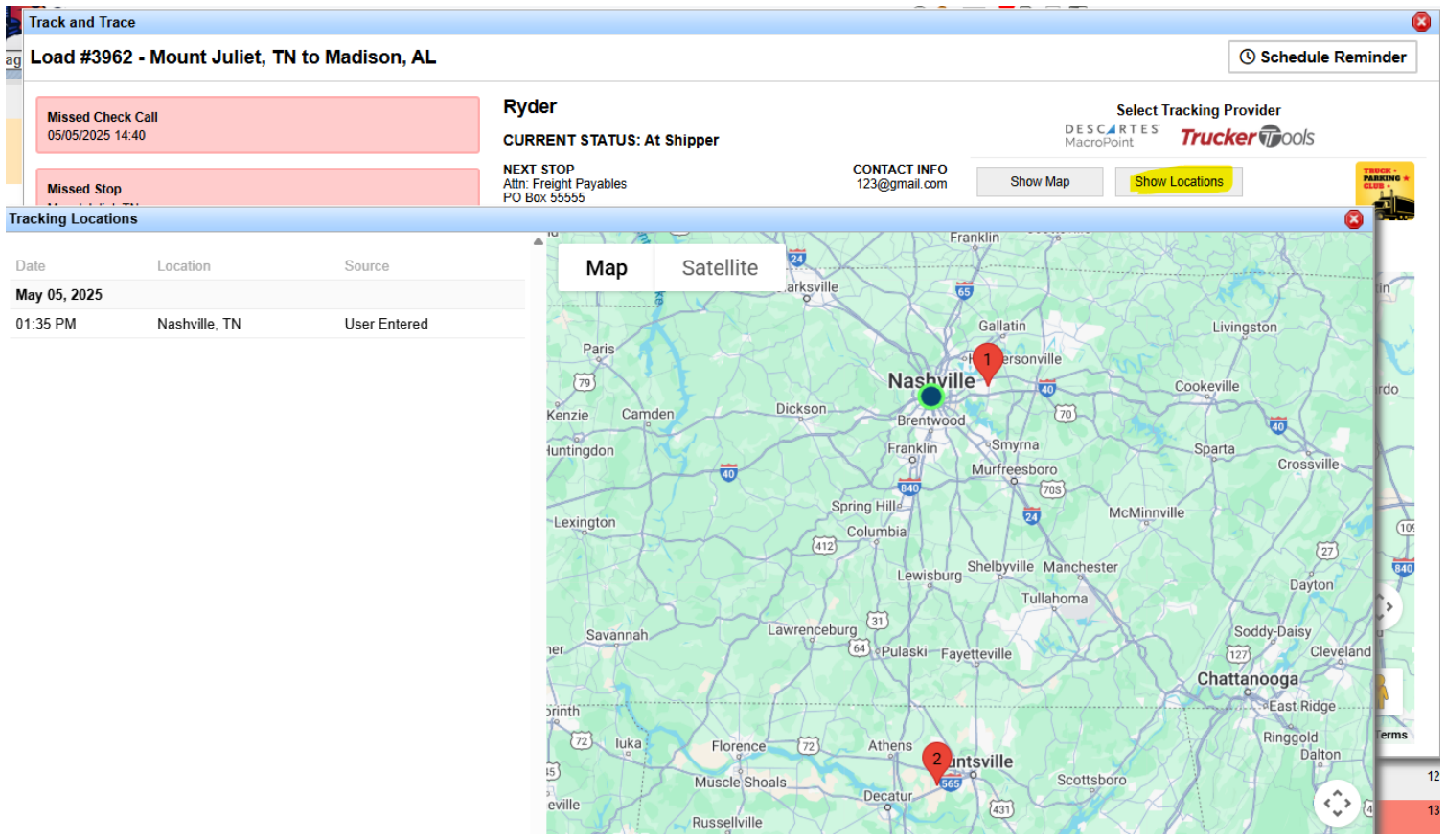
Updates appear in the Track & Trace window. View pings on the map, or click Show Locations to see them in a list.
Location updates also appear in the Last Location column in the Planned and Dispatched Loads sections of the Freight Operations Dashboard.

Questions about Trucker Tools, or ready to get started? Contact support@transportpro.net.