


Search for a Carrier
Once technical support has set up the integration with either DAT CarrierWatch or SaferWatch, you can use the carrier onboarding tool in Transport Pro.
Go to Broker Carriers > Carrier Onboarding. Enter either the carrier's DOT or MC number and click Search.

Note: Prefer to add a carrier without the DAT CarrierWatch or SaferWatch integration? See Add Broker Carriers for the manual process.
Review and Add the Carrier
The system pulls the carrier's information from the service provider you're integrated with and prompts you to review it. Select Yes to onboard the carrier, or No to cancel.
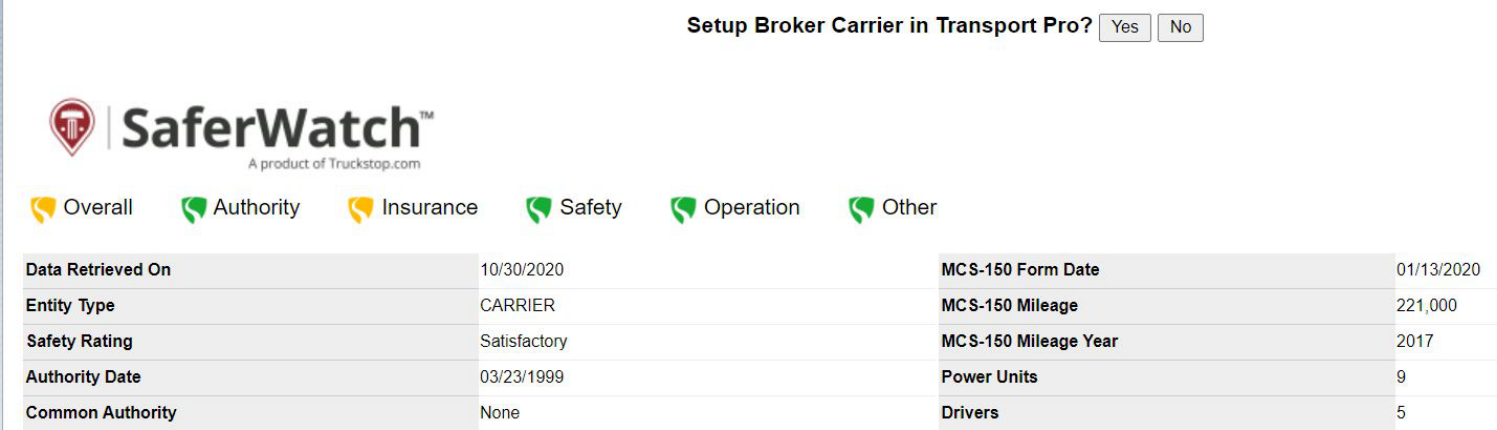
Enter the Federal ID and Save
If you select Yes to onboard the carrier, the system prompts you to enter the carrier's Federal ID. Enter the Fed ID and click Save.
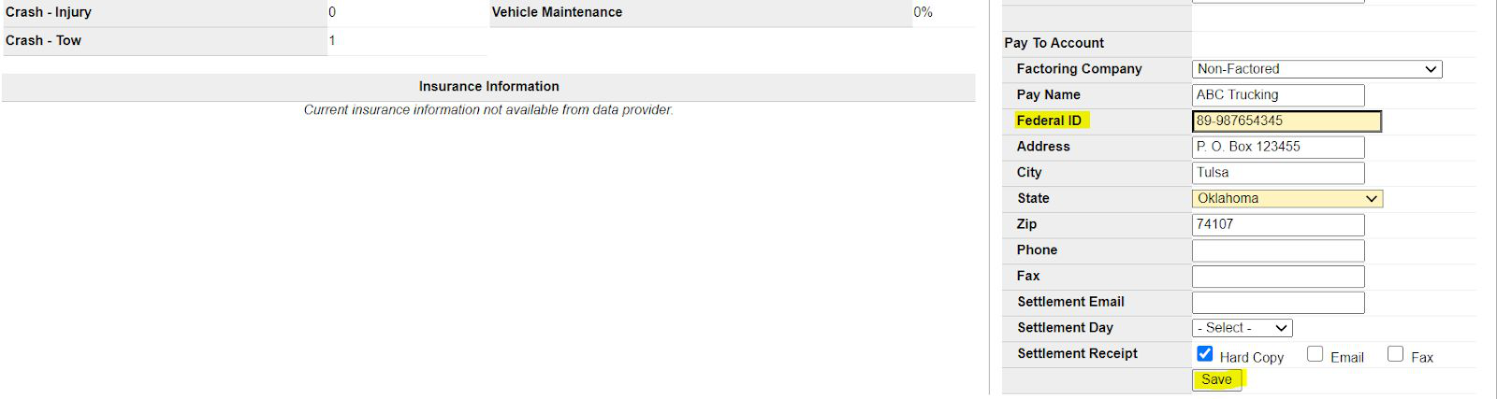
Note: The Federal ID is the only required field to save the record. You can add or edit other information here as well before saving if needed.
Once you click Save, the carrier record is created in Transport Pro and you're redirected to the Broker Carrier Summary screen, where you can review or edit the record. As long as the carrier is in an Active status, it's ready to be dispatched.

Questions about the carrier onboarding tool, or want to set up a DAT CarrierWatch or SaferWatch integration? Contact support@transportpro.net.